Claude and other AI tools such as OpenClaw have completely inverted the way we work.
A lot of people talk about AI, but I haven’t really seen a very simple explanation of what the big revolution is about.
So let’s make it super simple.
The Big Shift
Until now, we would be the ones using a bunch of apps on a day-to-day. Whether it’s Gmail for communication, PayPal for payment, HubSpot for lead generation, Substack for email writing, you name it.
Kind of looks like this:
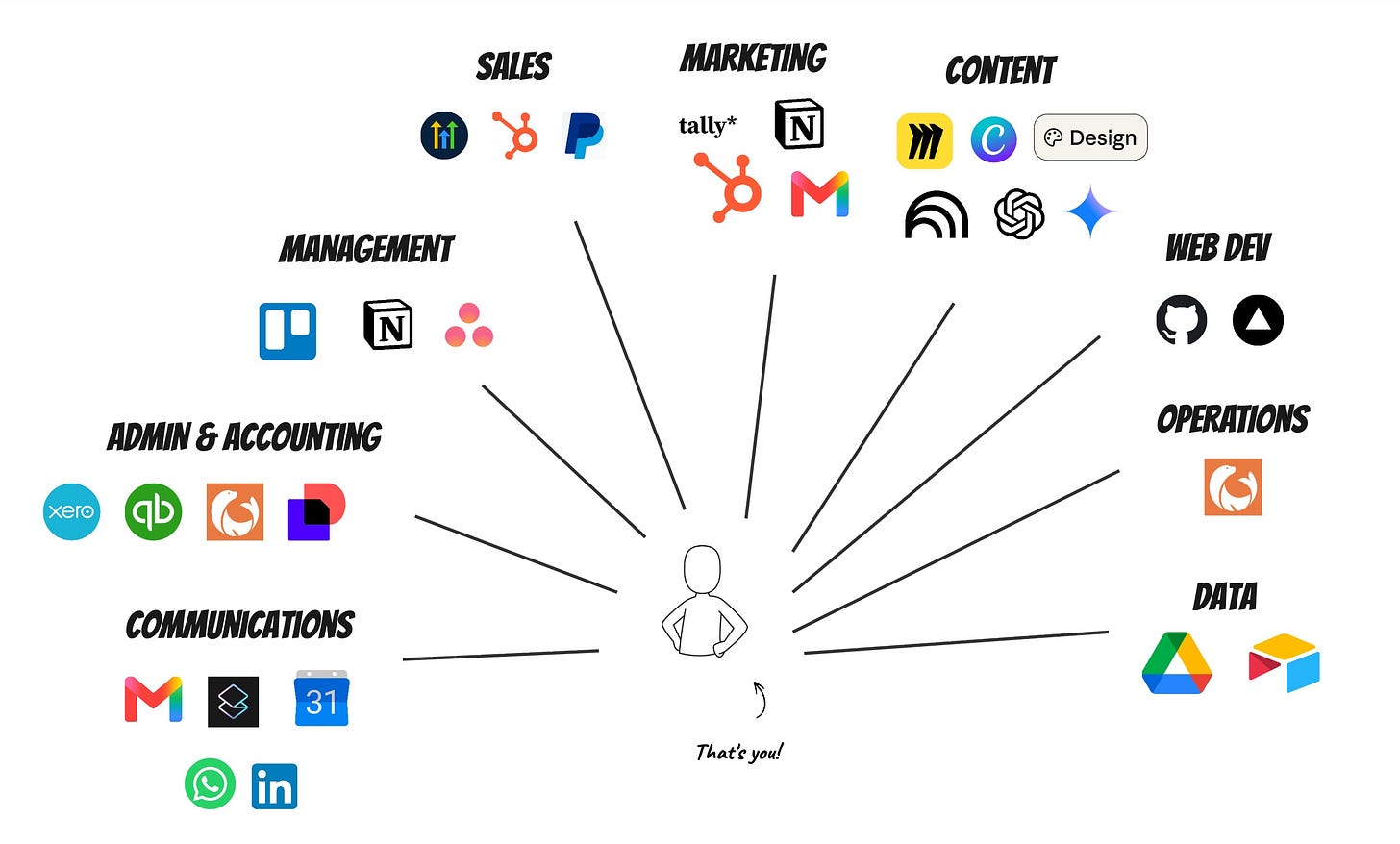
We would open the browser, go to an app, perform an action. Open a new tab, go to another app, and all the time perform the actions ourselves…
Then came ✴️ Claude.
Everybody has been talking about how powerful the AI model is, how it can save custom instructions, which are called skills, and how it can do functions automatically.
But the true revolution is that we no longer need to open up any apps. The only app we need to open is Claude, because Claude became the master orchestrator between us and everything we are using.
So now, working digitally looks like this:
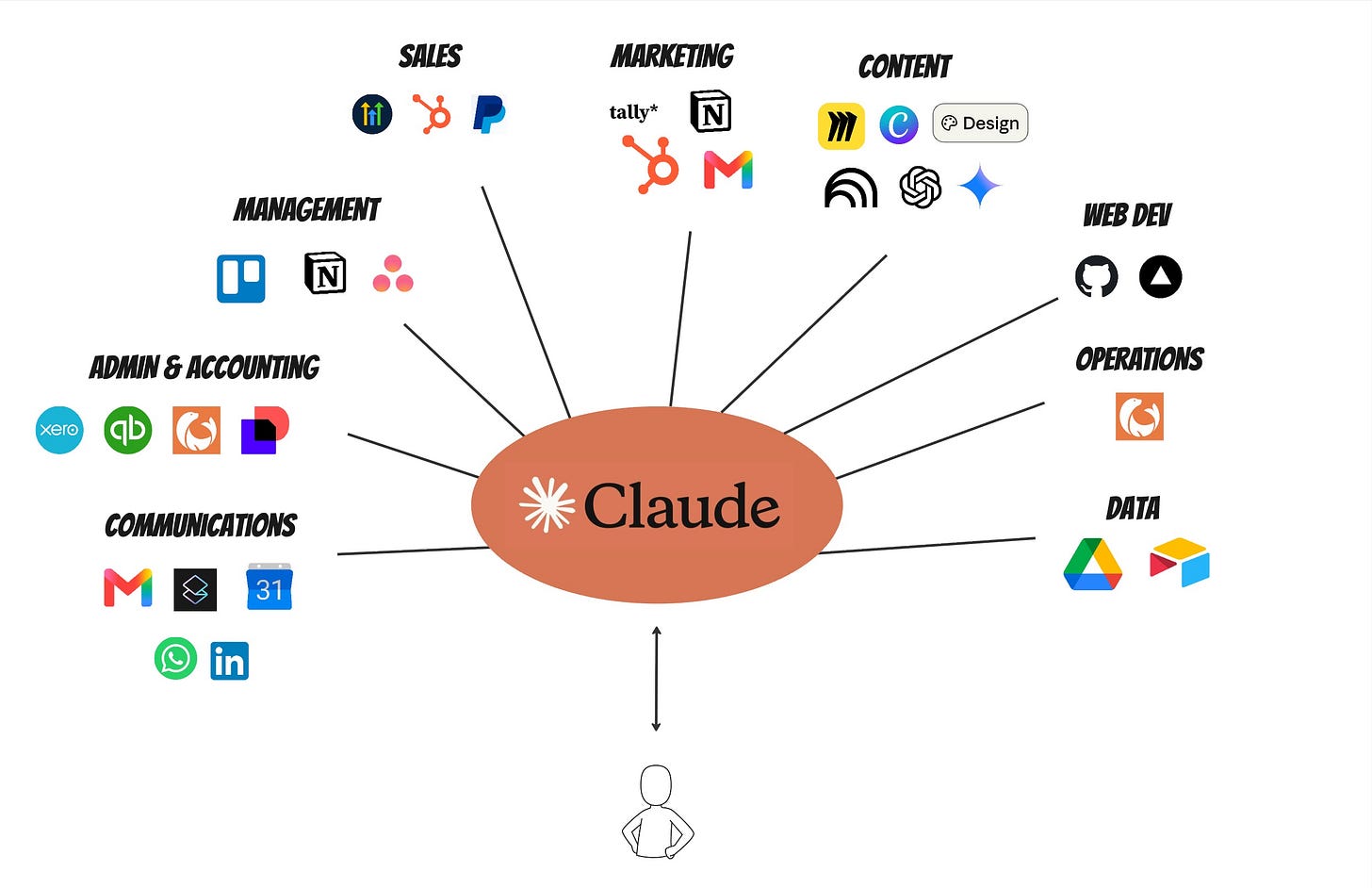
That’s it. Simple, no?
From a technical perspective, here are a few things you need to know:
- Connectors: The way that Claude connects to all of these apps is via a connection called MCP, which Anthropic itself has developed, which allows Claude to know exactly what actions it can perform in every app. This is why it is so powerful.
- Skills: When you perform an action and it works well, you save it as a skill. A skill is simply a custom instruction that tells Claude how to do a specific task.
- Automation: And then if you want to do this on repeat, you can simply schedule the task or the skill for a specific time.
Once you understand these basics, your entire way of working changes.
I was talking to one of the people we helped adopt Claude yesterday and was blown away by how he has been setting up Claude for his business:
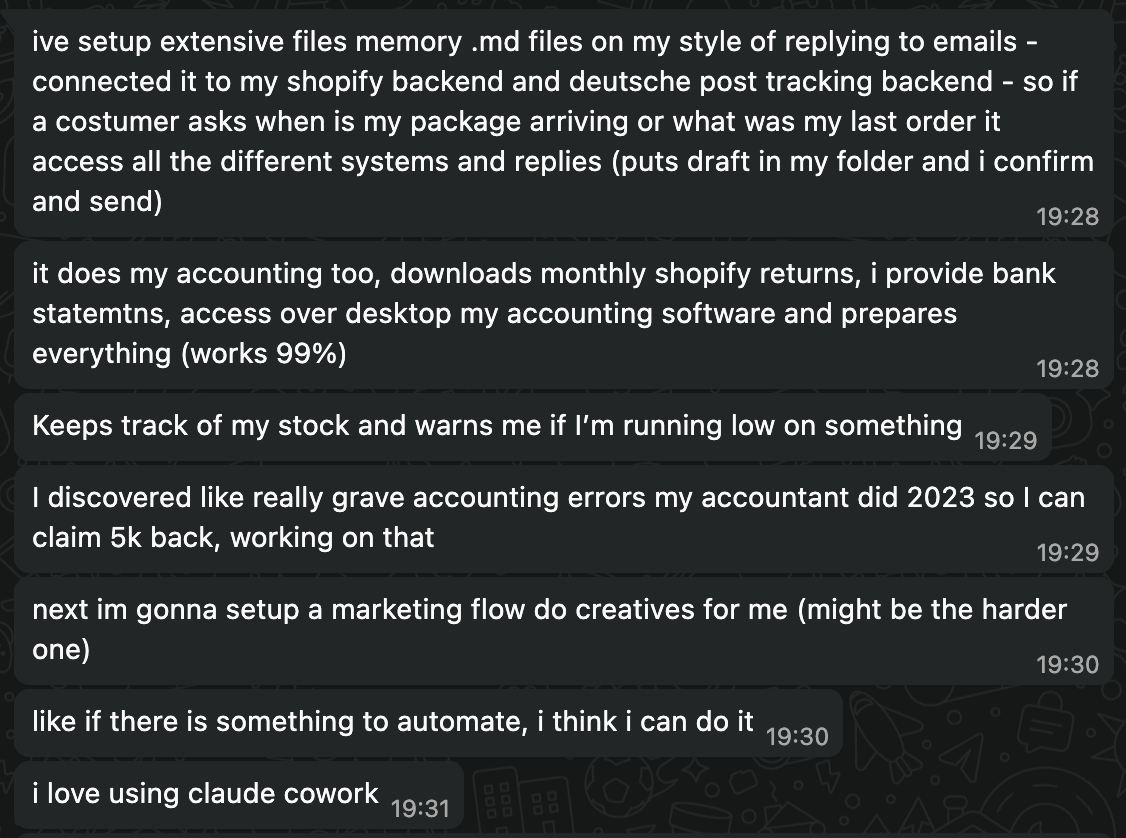
It’s insane.
How I used Claude today
Before, I used to answer my email in Gmail.
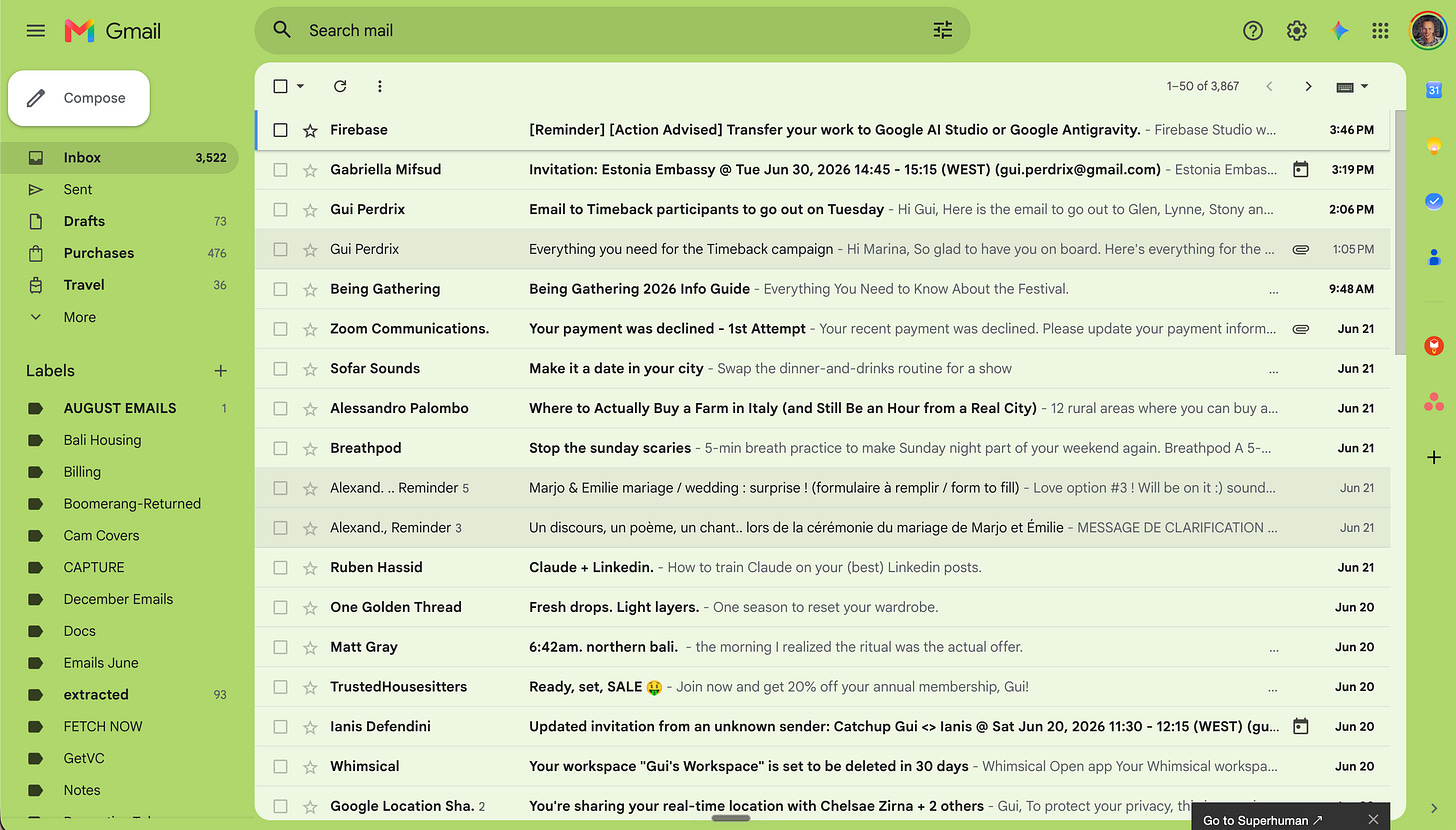
And looking at this interface didn’t make me happy.
Now, Claude goes through my emails, tells me which ones to respond to, and automatically archives the ones that are not relevant to me.
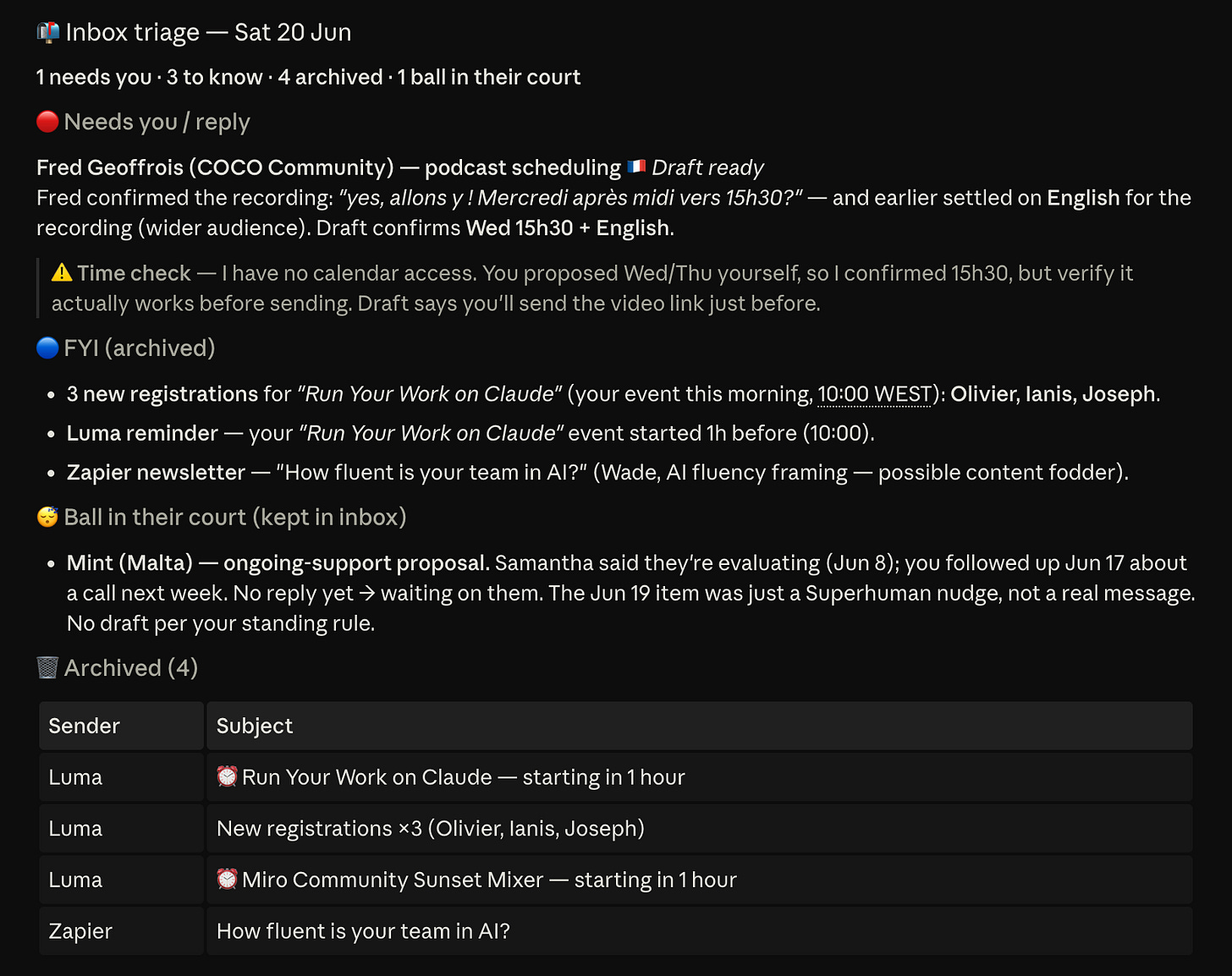
Before, I used to go to Stripe to create products, do refunds, apply discount codes.
Now, I just ask Claude:

And 90 seconds later, the code is ready:
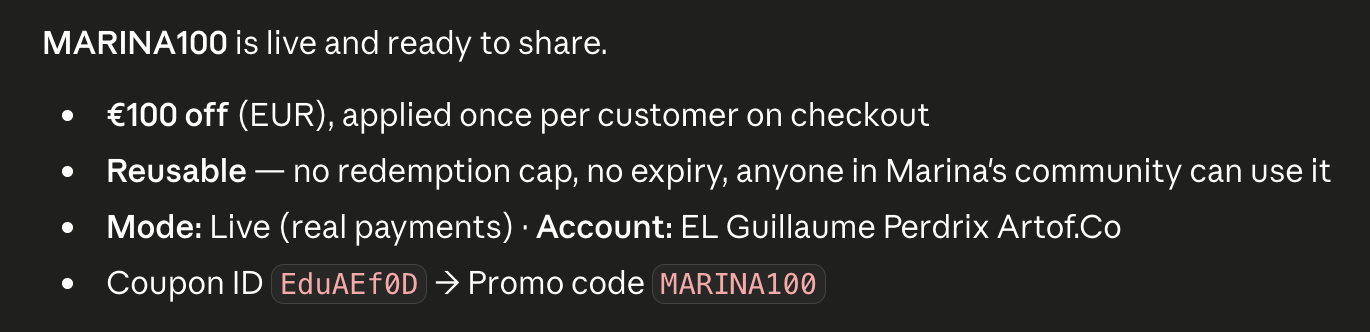
Before, I used to go to LinkedIn to answer messages and check notifications (which I was actually dreading).
You guessed it. Now, I just ask Claude.

And Claude answers:
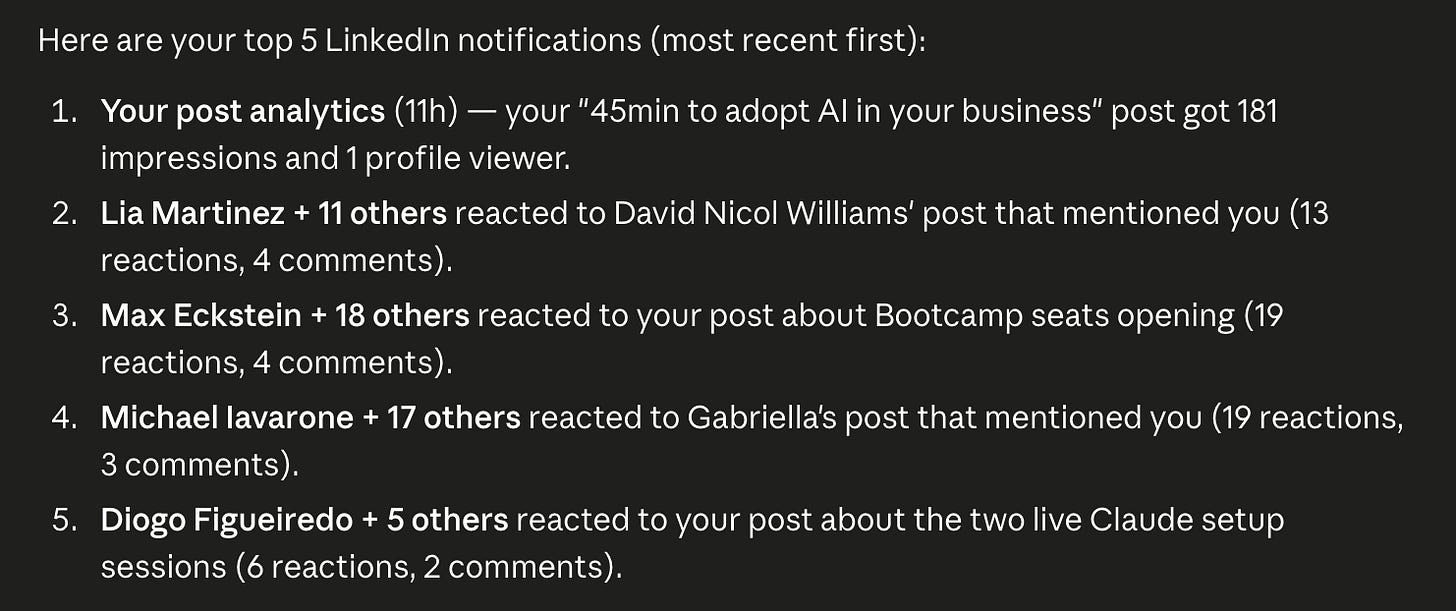
And the list goes on.
That’s what makes us super productive: the fact that we just have one layer of orchestration, one app that is the source of truth for every action we’re performing.
To give you insights into how efficient this actually is, in the last 3 hours Claude helped me with:
- Notifying me of new customers from Stripe and automatically creating and sending the invoice
- Searching for past invoices as a musician in Drive and creating an invoice based on our proceeding standard
- Creating a proposal based on our brand’s design guidelines for a B2B workshop
- Creating a new product on Stripe, based on the product that’s already live on my website
- Triaging and drafting all of my email replies directly in my Inbox.
- Going through my to-do list on Notion, updating the tasks that have been done last week, creating my to-do list of this week as well as my top priorities of today
- Going through my LinkedIn, checking all of my notifications and messages, as well as automatically drafting replies and awaiting my commands to post them
- Going through all of my WhatsApp and business messages, notifying me whether there’s anything that requires urgently my attention
- Going through our CRM and drafting emails for everybody that we’ve been exchanging with in the last seven days but have not received a response within the last four days.
- Creating a flyer for the new webinar next week in Canva, based on the flyers we already had.
- Creating a form on Tally for everybody who’s going to join the boot camp as their onboarding questionnaire.
- Giving me a summary of how many coaching calls I had over the last four weeks, as well as the main pain points that came from the Fireflies notes-taking summaries.
A Look Into the (Near-Term) Future
As of now, we’re still orchestrating each of the tasks, and we need to choose where in Claude you’re going to perform them. It’s like having Chrome open with lots of tabs, and you’re the orchestrator.
That’s where working with OpenClaw has one main difference, which is that you only have ONE chat window which is sitting on your Telegram, and that this chat window orchestrates all of the tasks in the backend:
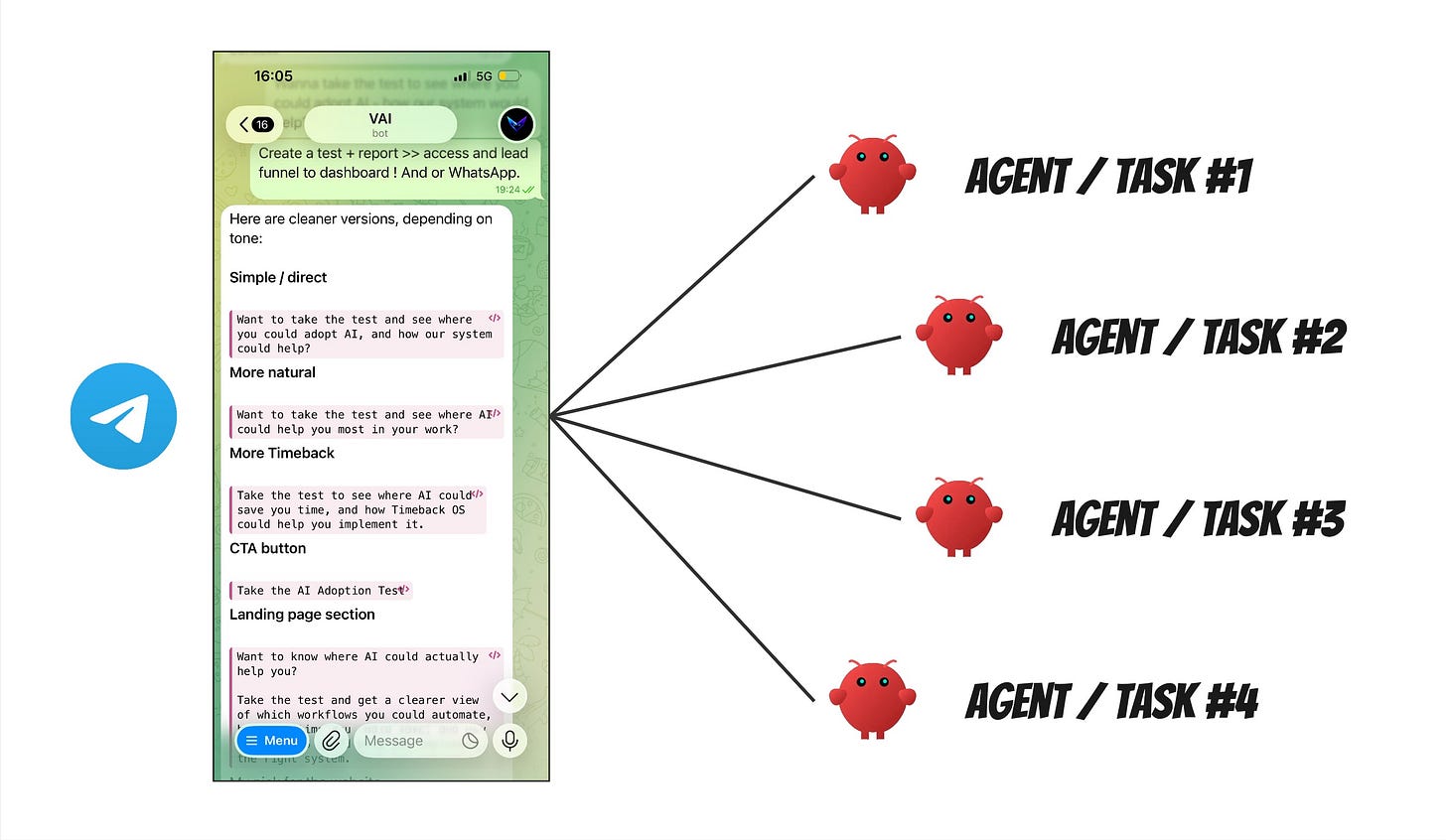
It’s not better or worse than Claude. It’s different. It feels more like working with your personal assistant directly, but gives you less control over each task.
That’s why I personally use both: Claude for business tasks, and OpenClaw for ideas and on-the-go functionalities.
To sum up: the hype and the change are real. And I believe that companies such as Anthropic (behind Claude) are soon going to enter two more phases:
- We won’t have to orchestrate all of the tasks ourselves, but we will have only one master orchestrator, similar to OpenClaw. I think this could be launched in the next months - like August 2026.
- We will not prompt the AI, but the AI will prompt us on what we need. Probably Q3 or max Q4 2026, this will be our working reality.
The future will tell. As of now, it’s time to connect your apps to Claude 😉
If you want to go further, you are invited to join our upcoming free webinars where we showcase Claude in action. And you can join our AI Adoption Bootcamp where we help digital workers adopt AI and create their own workflows in four weeks only (next cohort starts July 7 2026).